 Shopify App Store
Processing time
Set each location's cut-off time, time zone, processing days, working days and closures in Delivery Date for Shopify, so dates start on the right day.
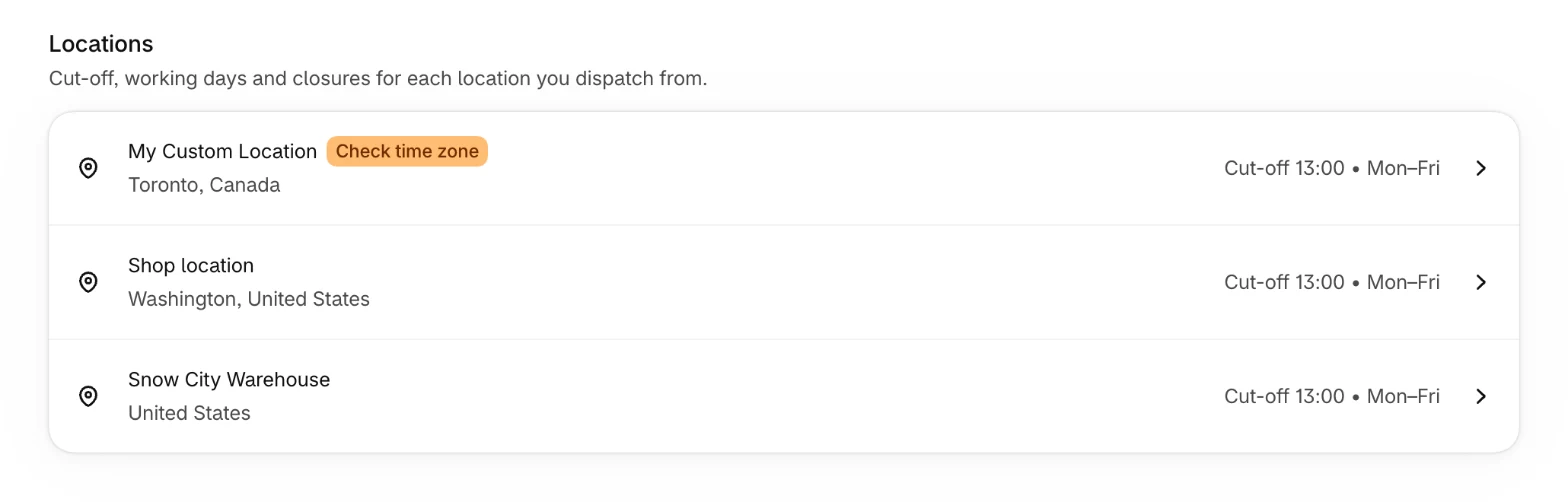
The Processing time page on the Overview lists your active Shopify locations. Each location has its own cut-off, processing time and working days, and together they decide the day a parcel leaves. Each row shows the cut-off and the working days, such as Cut-off 13:00 • Mon–Fri.
Cut-off and time zone
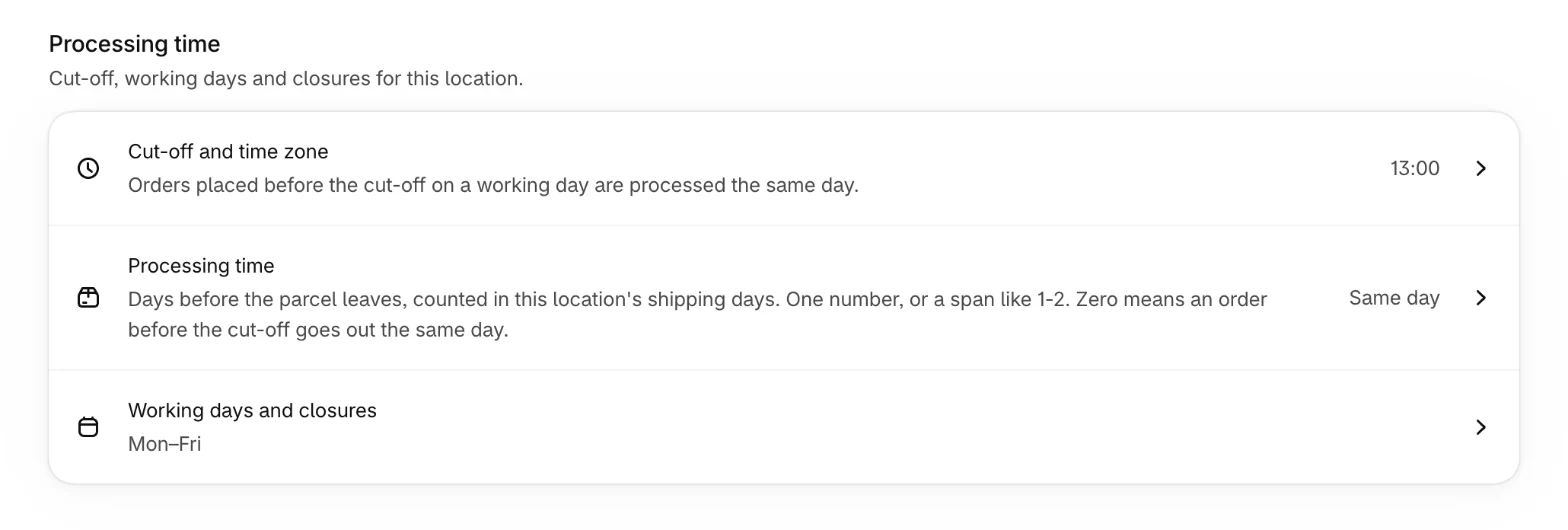
Orders placed before the cut-off on a working day are processed the same day. Choose the cut-off hour and the minute: 00, 15, 30 or 45. Every location starts at 13:00.
The cut-off runs on the location's clock. The Time zone is prefilled from the location's country, or from your store's time zone when the country has more than one. If the time zone doesn't belong to the location's country, the list shows Check time zone, and the location's page warns that the cut-off is read off the wrong clock. Pick the right one.
Processing time
The days before the parcel leaves, counted in the location's working days. 0 means an order placed before the cut-off leaves the same day, shown as Same day. If it varies, enter a span, such as 1 to 2 days: the earliest date uses the shorter time, the latest date the longer one.
Working days and closures
- Working days
The days parcels actually leave this location. Pick at least one. Every location starts with Monday to Friday.
- Public holidays
How many public holidays the app found for the location, and up to which date. See Public holidays.
- Closed for a while
One stretch when the location ships nothing, such as company holidays, stocktaking or a move. Enter Closed from and Closed until. With only Closed from, the location is closed on that one day.
Changing a location
- 1
Open the location
On the Overview, select Processing time, then the location.
- 2
Change a setting
Select Cut-off and time zone, Processing time or Working days and closures and make your change.
- 3
Save
Select Save. The change applies right away.
Locations run by a fulfillment service
If a fulfillment service runs the location, its page says so. The cut-off and working days are the service's, not yours, so enter what the service's help pages state.
Default location
The Default location on the Overview steps in for a country when your shipping settings link no location to it and you haven't set Ships from. To change it, select Default location, pick a location and select Save. See Stock and locations.