 Shopify App Store
Getting started
Set up Checkout Address Validator for Shopify: install the app, start the 7-day free trial, review your country rules and test addresses from real orders.
Setup takes five steps in your Shopify admin. You need no developer, no theme changes and no Shopify Plus.
- 1
Install the app
Install Checkout Address Validator from the Shopify App Store. The app opens on its Overview page.
- 2
Choose a plan
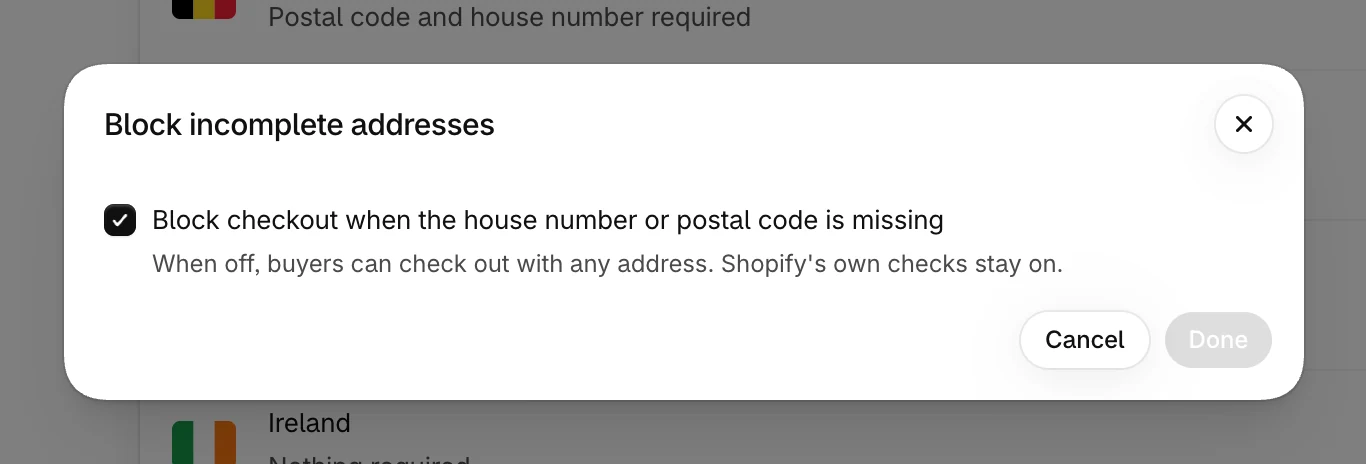
In the Start your free trial banner, select Choose a plan and approve the charge in Shopify. The plan starts with a 7-day free trial. The checks start as soon as the plan is active, because Block incomplete addresses is on from the start.
- 3
Review your country rules
The Country rules section lists the countries you sell to. Select a country to change its rule, select Done, then select Save in the bar at the top. See Country rules.
- 4
Change the buyer messages, if you like
Select Buyer messages at the top of the Overview to change the wording for any language your store publishes. See Buyer messages.
- 5
Test a few addresses
Select Test an address at the top of the Overview and enter a few addresses from your real orders. See Test an address.
What the install sets up
The app adds a checkout rule called Delivery address checks to your store. You find it in your Shopify admin under Settings → Checkout, in the Checkout rules section. The rule stays inactive until you choose a plan. Turn the checks on and off in the app, not there. See Pause and uninstall.
Do I need Shopify Plus?
No. The check is a Shopify Function, and Shopify lets stores use App Store apps with Functions without Shopify Plus. The app adds nothing to your theme.