 Shopify App Store
Checkout Address Validator
Test an address
Test any address against your Checkout Address Validator rules in the Shopify admin and see what checkout would do, without placing a test order.
Test an address at the top of the Overview runs an address through your saved rules with the same check as checkout. It runs in your browser, so nothing is sent anywhere.
Testing an address
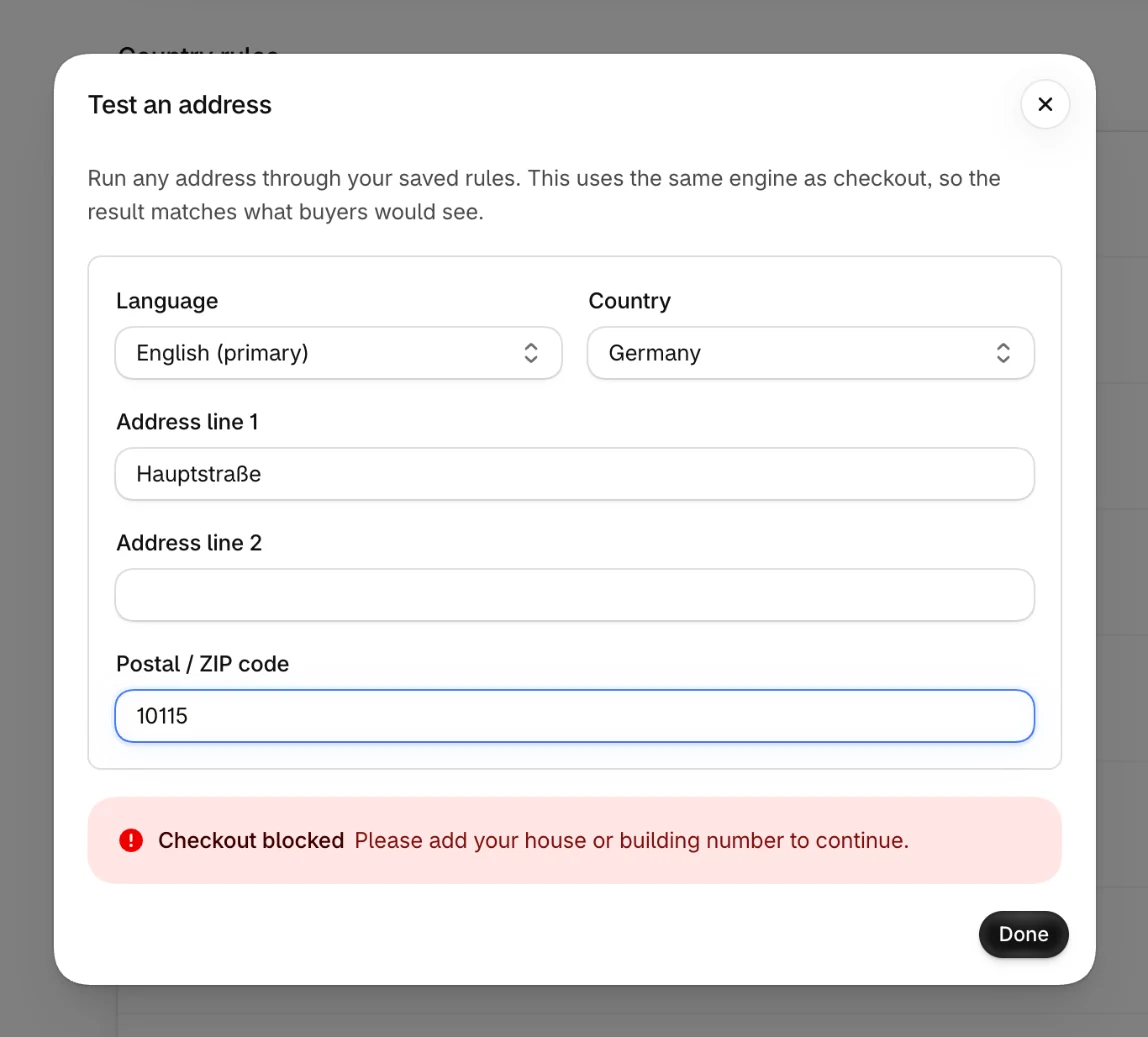
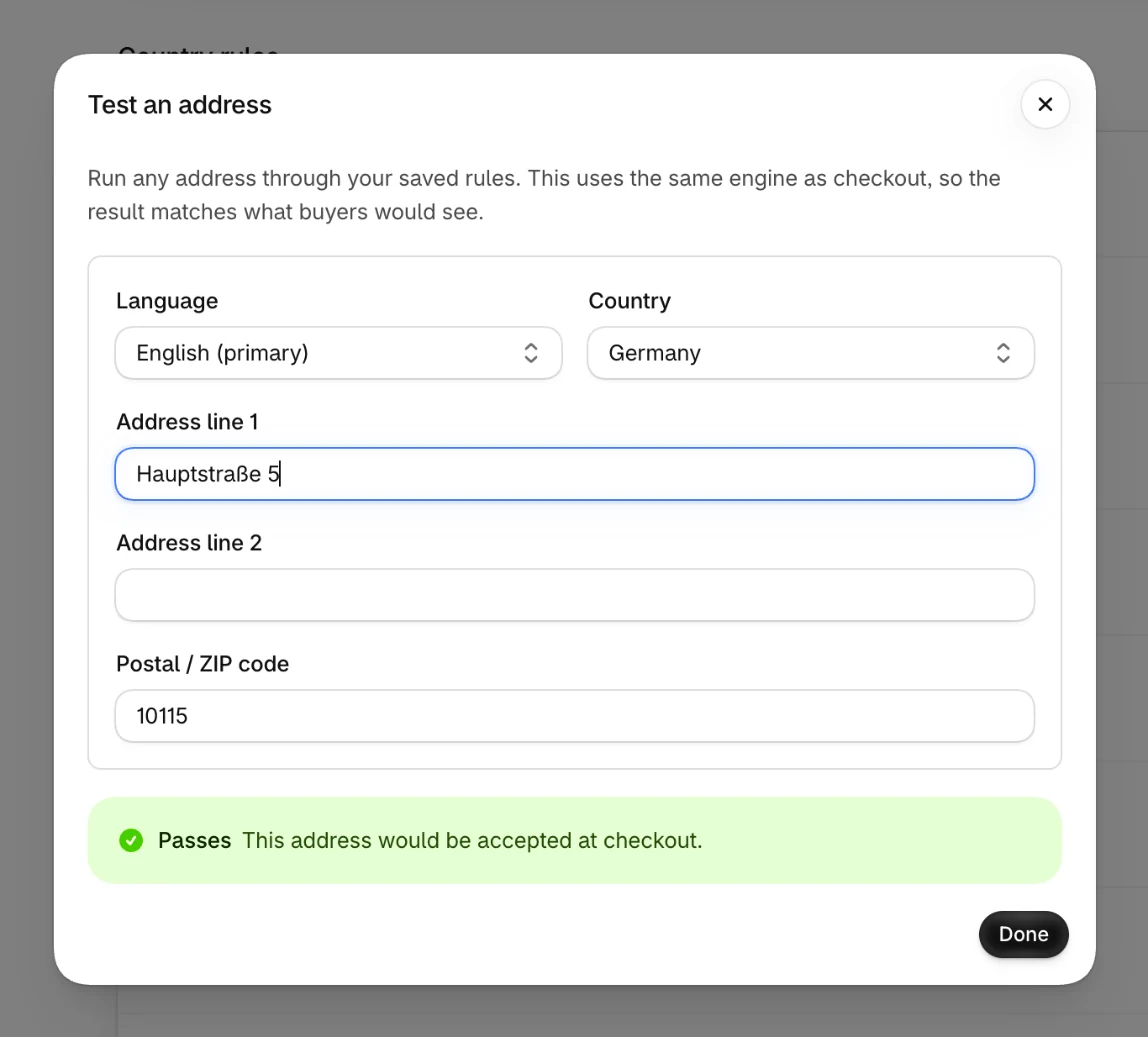
Choose a Language and a Country, then enter Address line 1, Address line 2 and the Postal / ZIP code. The result updates as you type:
| Result | Meaning |
|---|---|
| Passes | This address would be accepted at checkout. |
| Checkout blocked | Checkout would stop. The result shows the message the buyer would see, in the language you chose. |
| Would block checkout | The same, while the checks are off. Nothing is blocked at checkout right now. |
Things to know
The tester uses your saved rules, so save your changes before you test them. It checks the house number as soon as you enter anything, while checkout waits until an address line has text or the buyer pays.