 Shopify App Store
Delivery times
Set how many days parcels take to each country in Delivery Date for Shopify, for products in stock and out of stock, and the weekdays carriers deliver.
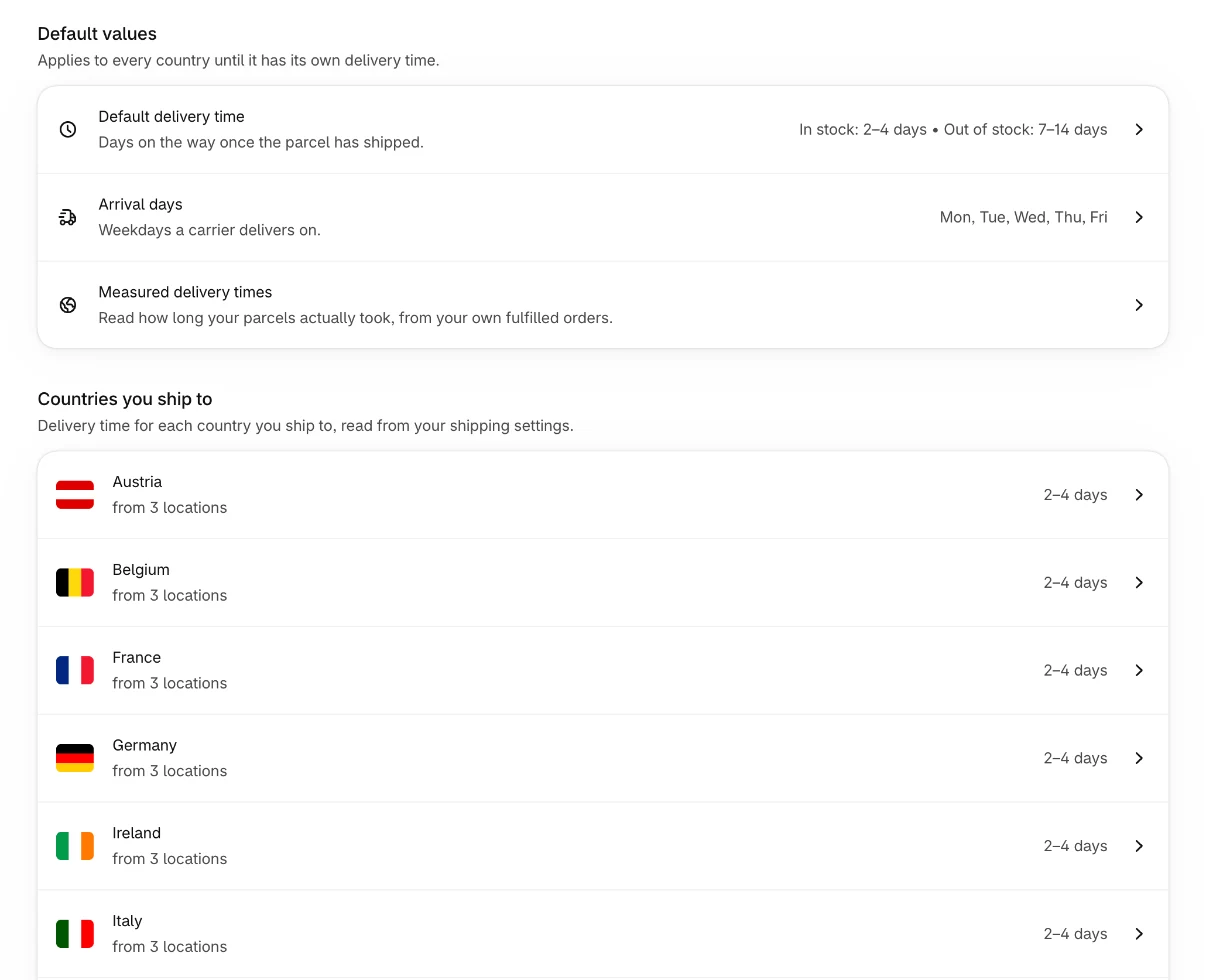
The Delivery time page on the Overview holds the days your parcels travel once they've left your location. It has two parts: the default values, which apply to every country, and the list of countries you ship to.
Default values
| Setting | What it is | Default |
|---|---|---|
| Default delivery time | Days on the way, once for products In stock and once for Out of stock. | 2–4 days in stock, 7–14 days out of stock |
| Arrival days | The weekdays a carrier delivers on. | Monday to Friday |
| Measured delivery times | Times read from your own orders. See Measured delivery times. | None until you measure |
Every country uses these until it has its own values.
Days on the way
- In stock
- Days on the way for an item that is ready to ship now.
- Out of stock
Days on the way for a backordered item, which can travel from a slower source once it's restocked. See Stock and locations.
Each time is a span from From to To days, up to 365 days. For a fixed time, enter the same number twice. The days count only on arrival days: with Monday to Friday, 2 days from a Friday means Tuesday.
Changing the defaults
- 1
Open the setting
On the Overview, select Delivery time, then Default delivery time or Arrival days.
- 2
Change it
Enter the From and To days for In stock and Out of stock, or pick the Delivery days. Pick at least one day.
- 3
Save
Select Save. The change applies right away.
If you use a fulfillment service, the carrier is chosen per order. Pick the arrival days you can rely on with all of them: if Saturday works only sometimes, leave it off.
Countries you ship to
The list shows every country from your shipping settings: your shipping zones, or your markets if your store uses market-driven shipping. Each row shows the locations the country is shipped from, how many products have their own time there, and the delivery time for products in stock.
| Badge | Meaning |
|---|---|
| Custom | The country has its own delivery time. |
| Measured | The time comes from your own orders. |
| No badge | The default delivery time applies. |
If the list is empty, set up shipping in your Shopify settings, then reload the page. Until then, the app works out every date from your default location.
Changing a country
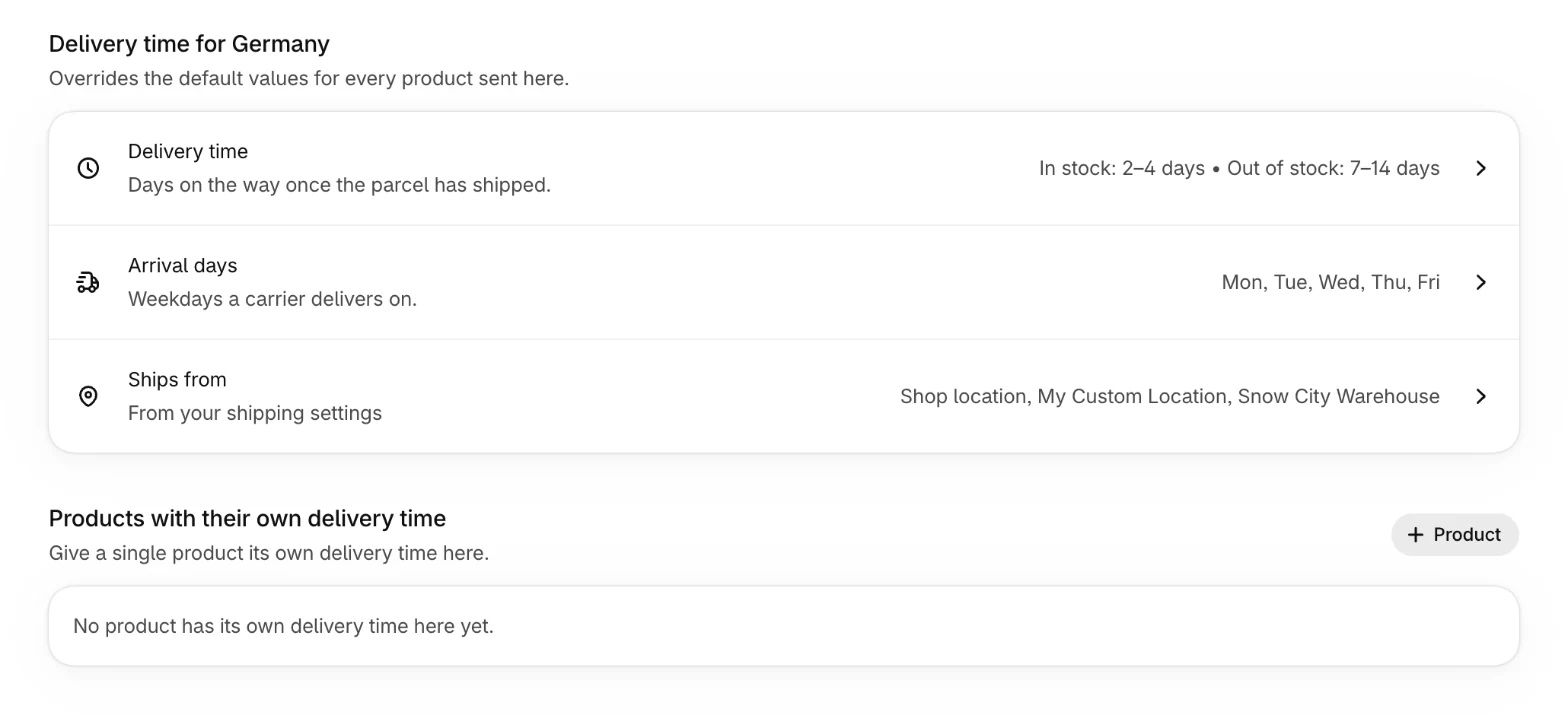
Select a country to open its page. Delivery time for the country has three settings, which override the default values for every product sent there:
- Delivery time
- Days on the way, in stock and out of stock.
- Arrival days
- The weekdays carriers deliver on in this country.
- Ships from
From your shipping settings, or one location you pick. See Stock and locations.
Select a setting, change it and select Save. To go back to the default, select the × next to the setting.
Below, Products with their own delivery time lists the products that differ in this country. See Product overrides.
Which time applies
For a product sent to a country, the app uses the first of these that exists: the product's own time, the country's own time, the measured time, the default. See How dates are calculated.