 Shopify App Store
How the check works
How Address Validator checks the delivery address in Shopify checkout: which fields it checks, when the check runs and the message buyers see.
The check runs inside Shopify's checkout as a checkout rule. It looks at the delivery address and applies the rule for its country.
What is checked
| Field | Checkout stops when |
|---|---|
| Postal code | The country's rule requires a postal code and the field is empty. See Postal codes. |
| House number | The country's rule requires a house number and neither address line contains a digit. See House numbers. |
The app checks only that these fields are filled in. It doesn't check that the address exists, and it doesn't check the postal code's format. For what Shopify's checkout checks on its own, see Shopify address validation.
When the check runs
| When | What's checked |
|---|---|
| On the cart page | Never. The check starts in checkout. |
| In checkout | Each time Shopify runs its checkout rules while the buyer fills in the address. The postal code is checked once the address has a country. The house number is checked once address line 1 or 2 has any text. |
| When the buyer pays | Both again. At this point the house number is checked even if both address lines are still empty, which matters for express checkouts. |
Which address is checked
The app checks the first delivery address in the checkout. It doesn't check the billing address. If the checkout has no delivery address, nothing is checked.
What buyers see
Checkout stops and the buyer sees a message in the checkout's language: the postal-code message at the postal code field, and the house-number message at address line 1. When both are missing, the buyer sees both. You can change the wording. See Buyer messages.
Turning the block on and off
The Block incomplete addresses setting on the Overview controls the block. It's on from the start.
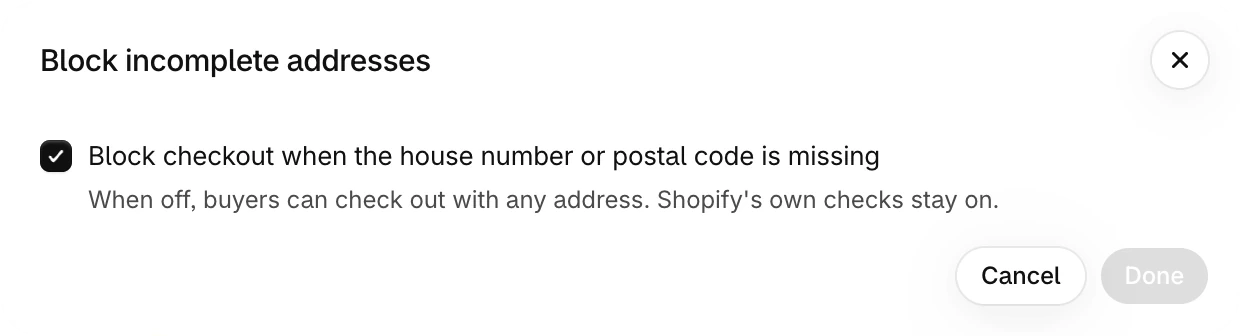
| Setting | At checkout |
|---|---|
| On | Checkout stops when the house number or a required postal code is missing. |
| Off | The app checks nothing. Shopify's own address checks stay on. |
The checks also need an active plan. See Billing.
If the check can't run
The check runs on Shopify's servers and doesn't call ours, so there is no extra request for the buyer to wait for. If the check fails to run, for example because it times out, Shopify lets the buyer continue. The app sets the checkout rule this way each time you save.