 Shopify App Store
Country rules
Set a postal-code and house-number rule for each country in Address Validator for Shopify, or write your own rule as a regular expression.
The Country rules section on the Overview lists the countries you sell to: the countries in your shipping zones that belong to an active market. Each row shows what that country requires, and Custom marks the countries you changed.
If the list is empty, add a shipping zone or a market in your Shopify settings, then reload the page.
The defaults
| Field | Default |
|---|---|
| Postal code | Required where the country's address format requires one. See Postal codes. |
| House number | Required in every country except the ones listed in House numbers. |
Addresses from countries that aren't in the list use the default house-number rule.
Changing a country
Change a country when its rule should differ from the defaults. The list then marks it Custom.
- 1
Open the country
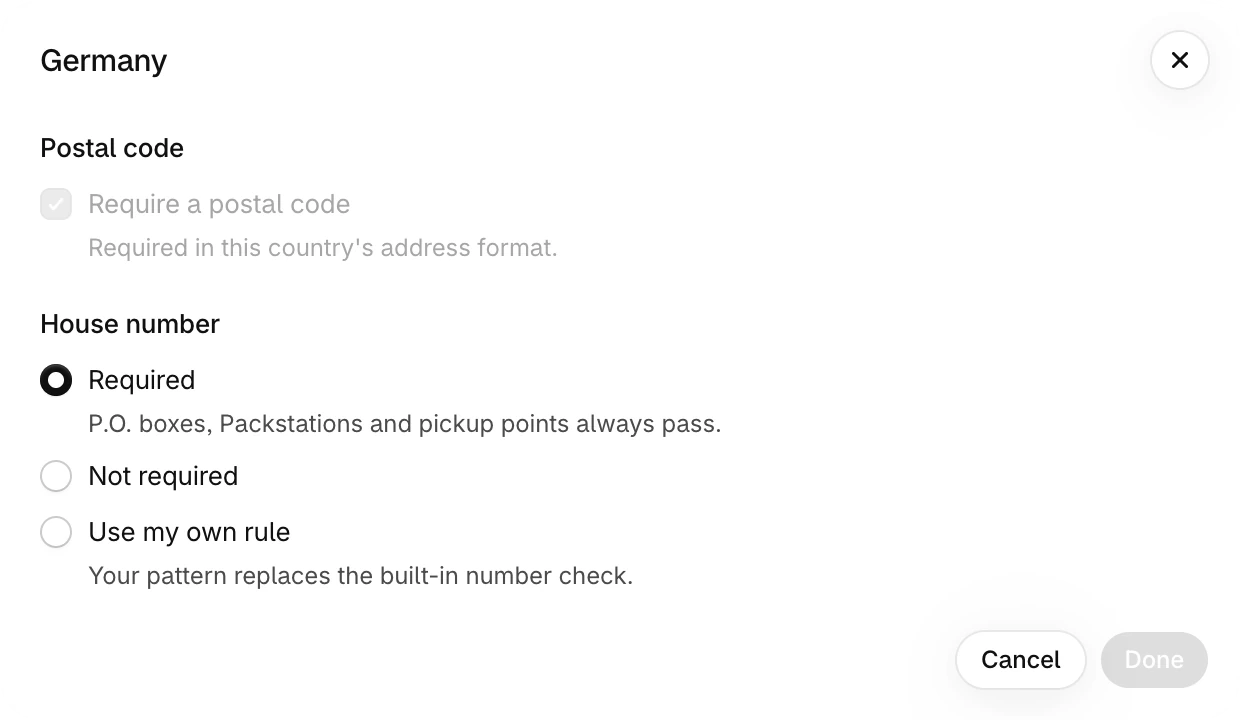
In the Country rules list on the Overview, select the country. Its rule opens in a window.
- 2
Choose its rule
Under House number, choose Required, Not required or Use my own rule. Under Postal code, you can turn on Require a postal code where the country uses postal codes but doesn't require them.
- 3
Save
Select Done, then Save in the bar at the top. Checkout uses the new rule after you save.
To undo your changes for a country, open it and select Use the default, then Save.
Your own rule
With Use my own rule you decide what counts as a house number in a country: your pattern replaces the built-in digit check.
- 1
Open the country
In the Country rules list on the Overview, select the country.
- 2
Enter your pattern
Under House number, choose Use my own rule and enter a JavaScript regular expression in Pattern.
Three patterns to start from:
Pattern The line passes when it \d\s*$ends in a number ^\dstarts with a number \d{2,}contains a number with at least two digits The pattern is checked against address line 1 and line 2 separately, and the address passes when either line matches. Upper and lower case count as different letters,
\dmatches only the digits 0 to 9, and parcel lockers and P.O. boxes always pass.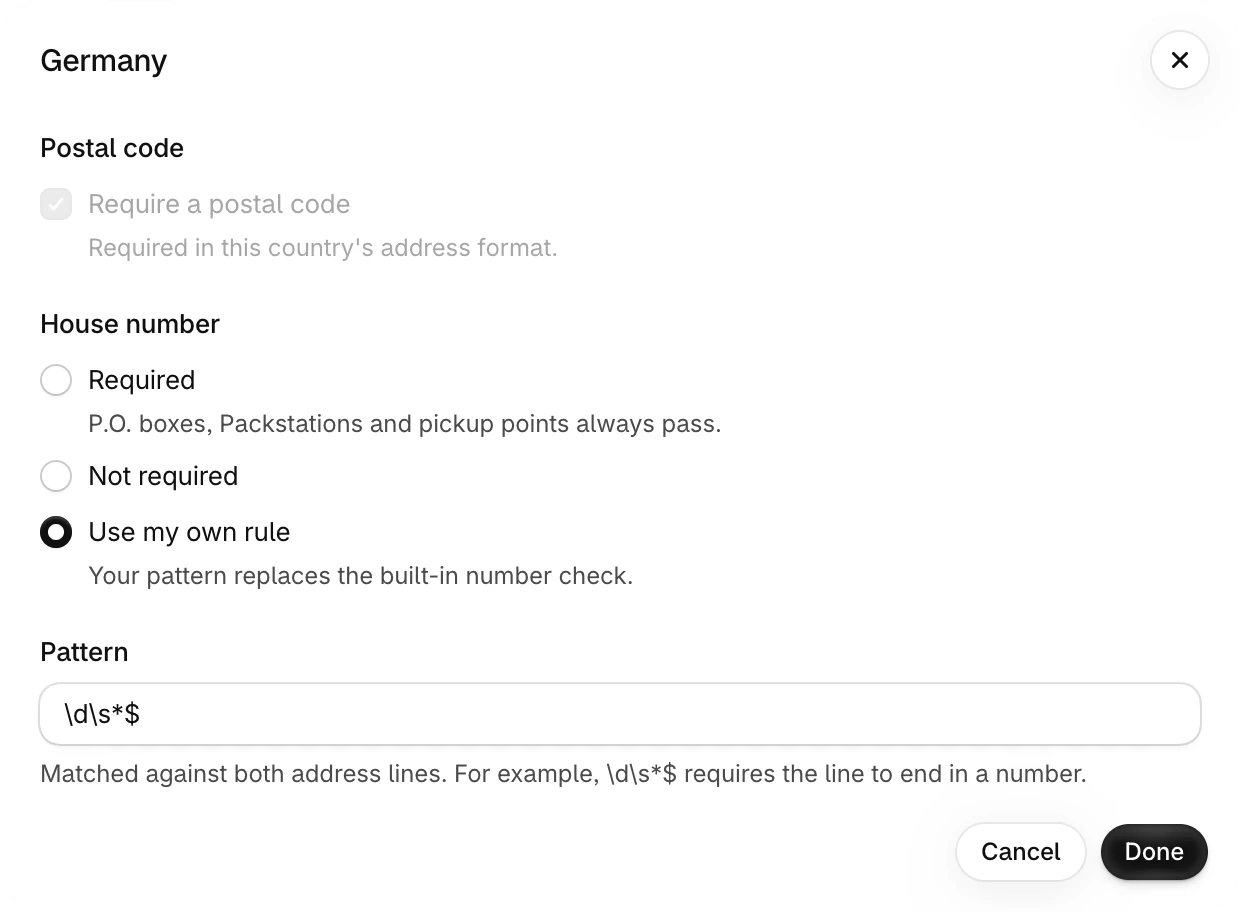
- 3
Save
Select Done, then Save in the bar at the top.